Find & select
Turn search results and assistant findings into reusable, timecoded selections.


PRIVATE MEDIA INTELLIGENCE
Every frame has a story.
Find yours.
Turn your media library into searchable knowledge and usable moments. Bring AI to your content, on infrastructure you control.
Explore the platform
Browse video, audio, and images together. Keep the context that makes every asset useful.
01 / THE PLATFORM
INTELLIGENCE IN THE FLOW OF WORKSpeech, scenes, people, and meaning come together in one workspace, with the evidence a human needs to make the next decision.
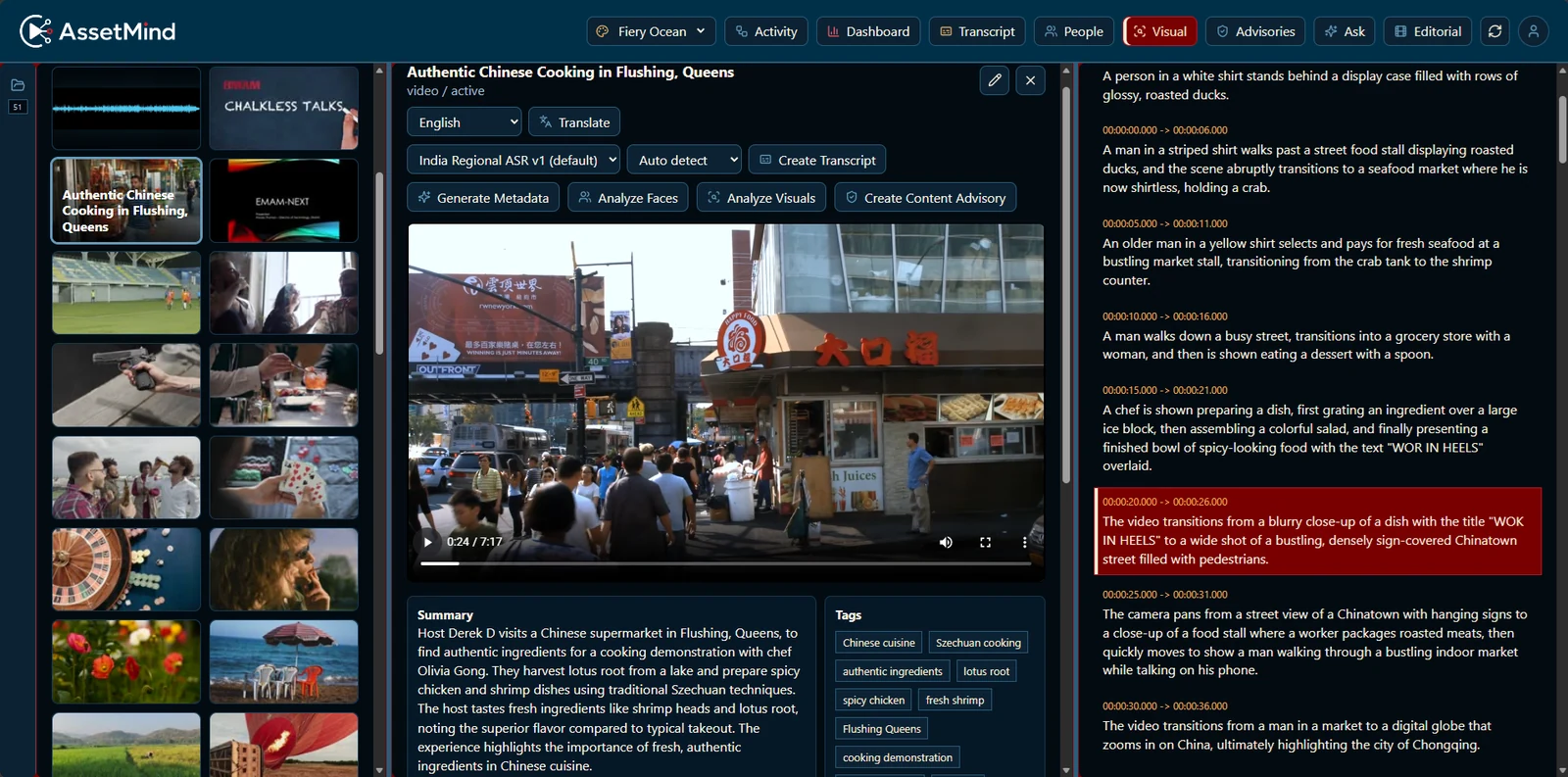
Scene captions describe the action and objects in your footage. Follow a timecoded result straight to the visual evidence—even when there is no dialogue.
02 / FROM DISCOVERY TO DELIVERY
KEEP THE STORY MOVINGSelect the moments that matter. Assemble a rough cut in the browser, render through an AssetMind Node, and carry the story into your finishing workflow.
Turn search results and assistant findings into reusable, timecoded selections.
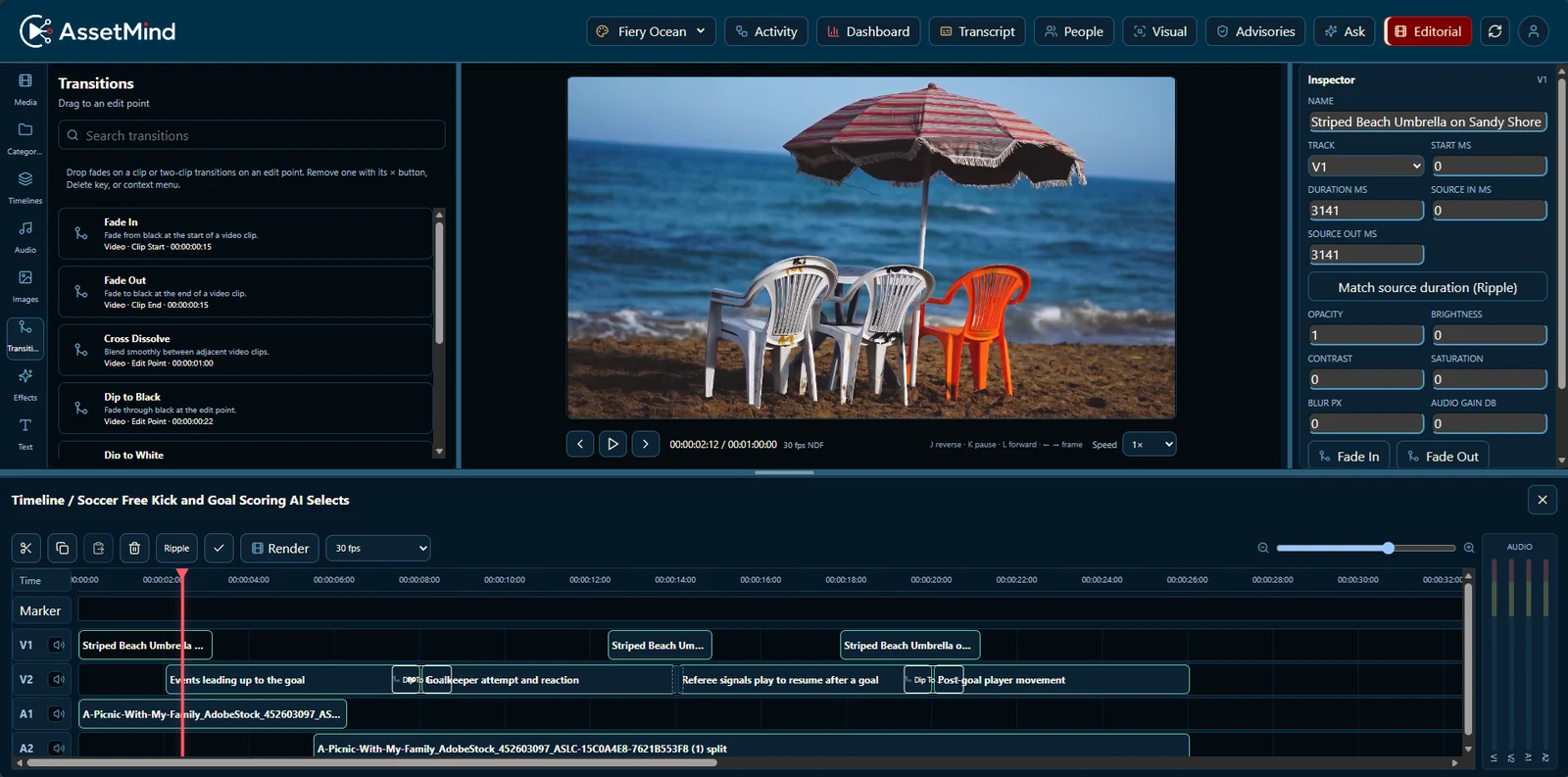
Arrange clips in a browser timeline. Give occasional users a direct path to a first cut.
Run the output through your Nodes, processing profiles, and storage destinations.
03 / INTELLIGENCE, ON YOUR TERMS
BRING THE AI TO THE MEDIAPut processing where your media lives. Keep control of the storage, models, and permissions that surround it.
Run the application, search index, and AI Nodes on your own infrastructure. Connect local disks, shared storage, and object stores without building a second media library.
Search · Context · Permissions · Workflows
Run the complete environment on-premises.
Built for media that matters.
Broadcast & productionEnterprise studiosEducation & archivesPublic-sector media04 / BUILT FOR THE BIG PICTURE
PERFORMANCE MEETS ECONOMICSEvaluate the complete workflow, the hardware behind it, and the volume you actually process.
Tested with a Dell GB10 AI Node and an AWS EC2 application tier over a WAN, using copies of one 1-hour, 12 Mbps MP4. Short-batch results; sustained production capacity has not been established.
THE COST EXPLORER
See how processing volume changes the economics of customer-controlled AI.
At this volume, the modeled AssetMind total is lower.
Plan your deploymentThis explorer uses the supplied AssetMind 1-year / 3-year planning workbook: $24,838.47 hardware, $30,000 annual software subscription, and $400/month operating allowances. These are model inputs, not a current commercial quote. The hardware quote in the workbook expired September 4, 2026.
The model assumes a consolidated Supermicro server with RTX PRO 4500 can match the GB10 planning rate of 90 content hours/day. That hardware equivalence is unvalidated; the Dell result was a different, hybrid configuration. The slider stays below the model’s provisional monthly capacity. Sustained throughput still needs validation.
The default cloud input of $4.272/content hour is the workbook’s hosted indexing plus one full-video analysis scenario. It is an illustrative rate, not a verified current vendor price or a claim of equivalent capabilities. Cloud storage, transfer, queries, output tokens, support, and unrepresented functions are excluded. On-premises labor, implementation, permanent media storage, high availability, tax, and financing are excluded. Compare your actual workflow and commercial terms before deciding.
A FEW THINGS WORTH KNOWING
AssetMind can connect to local, NAS, and S3-compatible storage and run AI near those sources. Your configured workflows determine when originals or derivatives are copied, restored, or delivered. An on-premises deployment can keep those operations within your environment.
Yes. AssetMind’s browser editorial gives users a way to prepare selections and rough cuts while professional editors retain their finishing workflow. Validate the supported interchange format, relinking, codecs, and application versions as part of your deployment.
Search across indexed transcripts, metadata, scene descriptions, and visual meaning. Explore people and their appearance times, ask questions about a selected asset, and review content advisories with timecoded evidence. Available languages and analyses depend on the configured models and licensed capabilities.
Add licensed Nodes and configure their processing capabilities, profiles, and storage access. The application schedules compatible work and exposes queue, health, and utilization information. Hardware and workload qualification determine the capacity of each deployment.
You’ll go to the eMAM Next account portal used for AssetMind customer access. An account is the starting point for managing your customer relationship and entitlements; it does not automatically provision a live AssetMind environment.
THERE’S MORE IN YOUR MEDIA.
Your next story is already in your library.
Give your team a way to find it.